Background

During the pandemic outbreak, we, students of the University of Primorska (UP), have found ourselves in an unpredictable situation. We were largely cut off from normal life, and we often felt scared, insecure, sad, unmotivated, stressed, lonely, and out of control.

Within the psychological support of UP, qualified psychologists from the faculty’s psychology department offer assistance to students in the form of in-person or remote sessions. Students had to write them an e-mail and describe the problems they were facing, after which a meeting would be scheduled.

Defining the problem

Even though writing an e-mail is preferred, it is still a back-and-forth way of communication that lacks responsiveness. Describing difficulties students are facing, and filling out forms is a repetitive, lengthy process in which students disclose their data every time they request a meeting. Even so, they risk missing a critical update on their meeting status and have no feedback on the past meetings.

Proposal and design

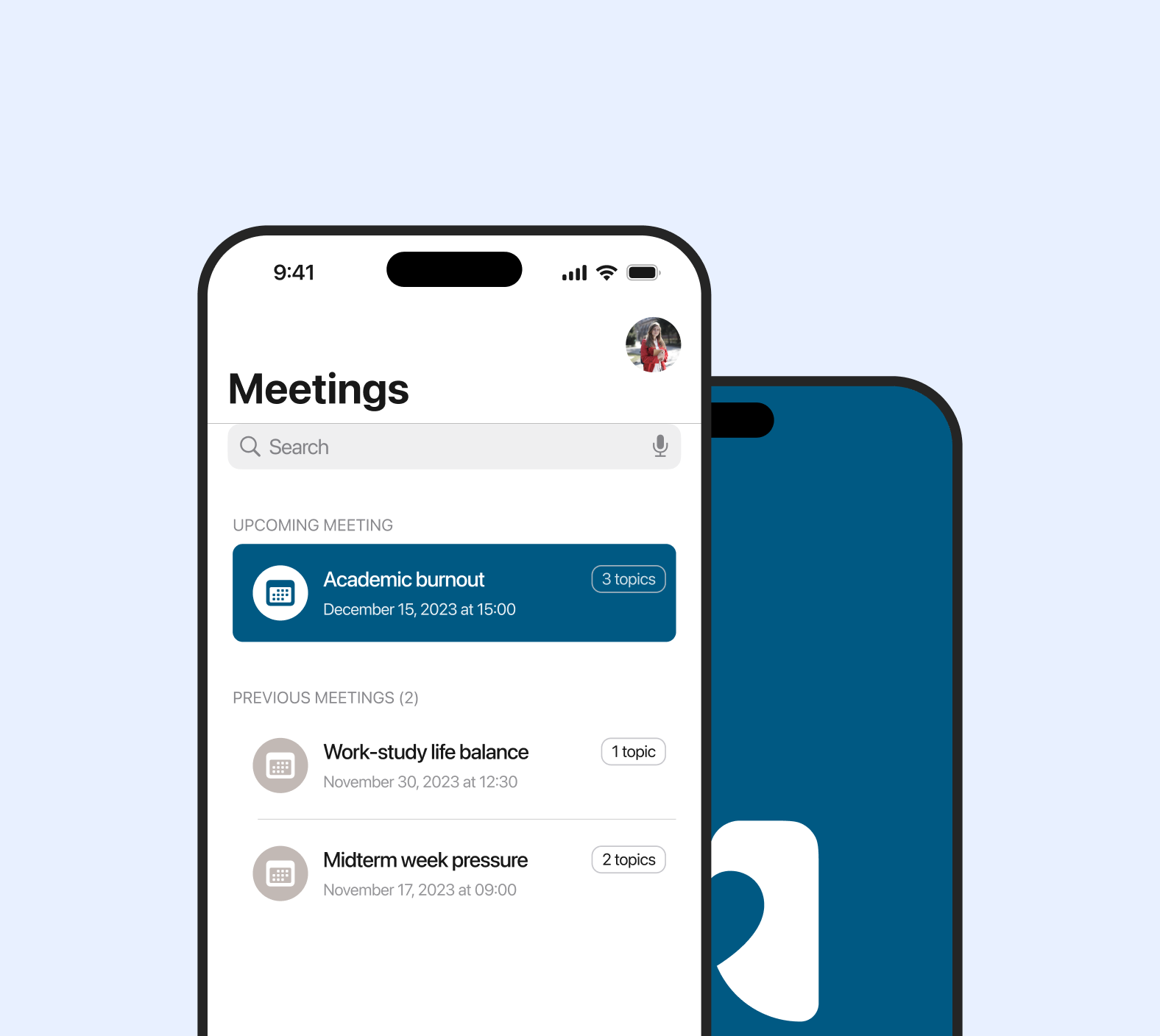
I felt that there was an opportunity to have a dedicated place to connect students and psychologists more easily. The idea for MeetUP, a mobile app that allows students to schedule meetings based on their preferences, surfaced. Throughout the app, students could request and schedule meetings by choosing from the pre-defined set of topics they would like to talk about, and when and where they want to talk about it.

Note: Due to confidentiality reasons, sensitive information such as the user data, as well as the research phase, cannot be shared publicly.
Simple and secure sign-in flow

To get started, all the user needs are a student ID and password; credentials used for accessing the faculty’s information system. This way, the app is accessible only to the students.

Pause video

Pause video

Unique profile as student’s account

The data is linked with the student’s account and is being used when scheduling a meeting, reducing the repeated form submissions. User preferences are only an interaction away.

Scheduling based on the user’s needs

Users can arrange a meeting in no time. They choose the topics of discussion, desired date and time. Set the duration and type of a meeting and, optionally, give it a title. Meeting details are always there.

Pause video

An activity screen

Pause video

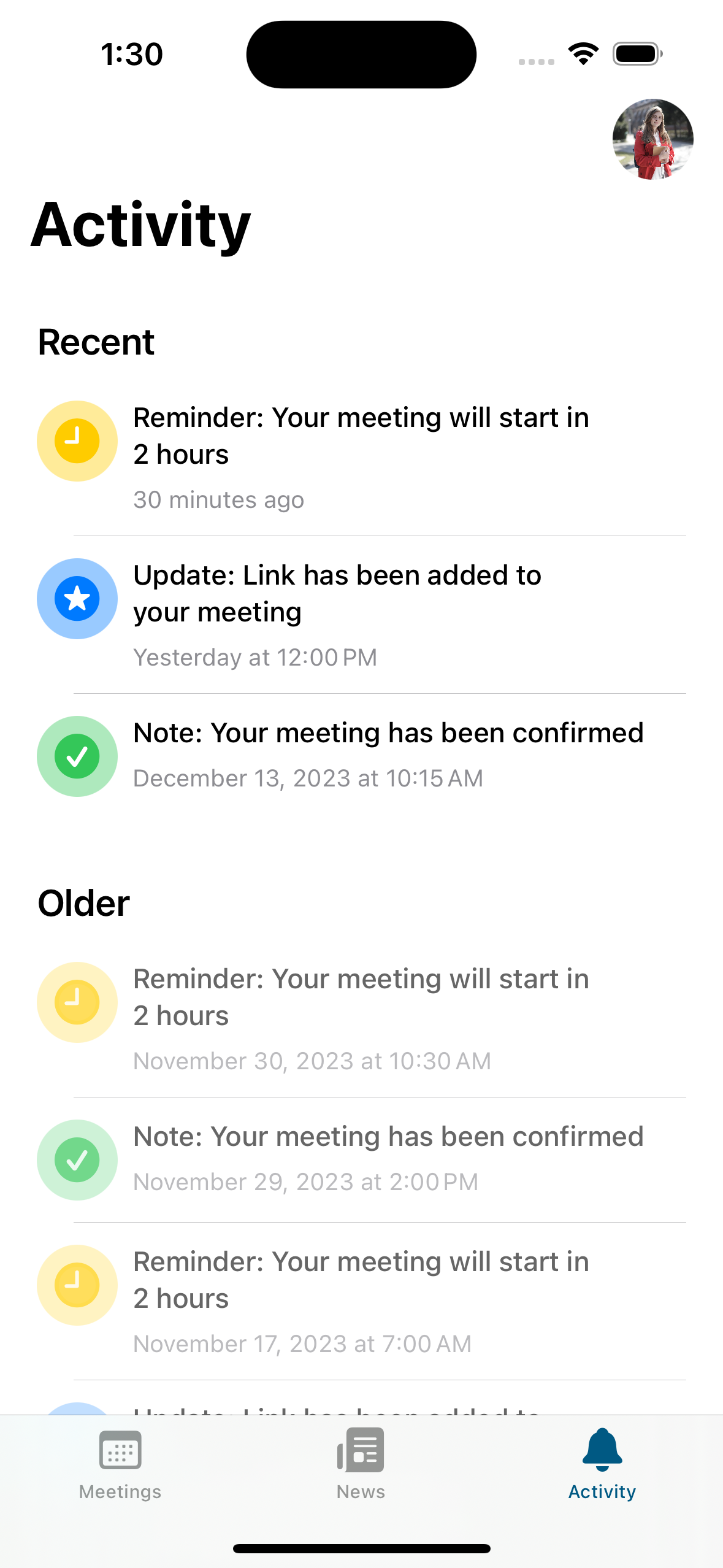
Latest activity in one place

Always have a piece of important information. Once scheduled, meeting reminders, notes and updates are set down in the Activity tab. Based on the user’s preferences, push notifications are sent to the user, too.

On the line with the researchers

Users can keep in touch with the latest research findings of the psychology department, written through bite-sized articles that contain helpful information on well-being, happiness and stress management.

Pause video

Pause video

Dark mode and dynamic colours

The app supports a darker, higher-contrast theme, with a redesigned logo and icons, ensuring comfortable reading in both appearances.

Supporting more languages

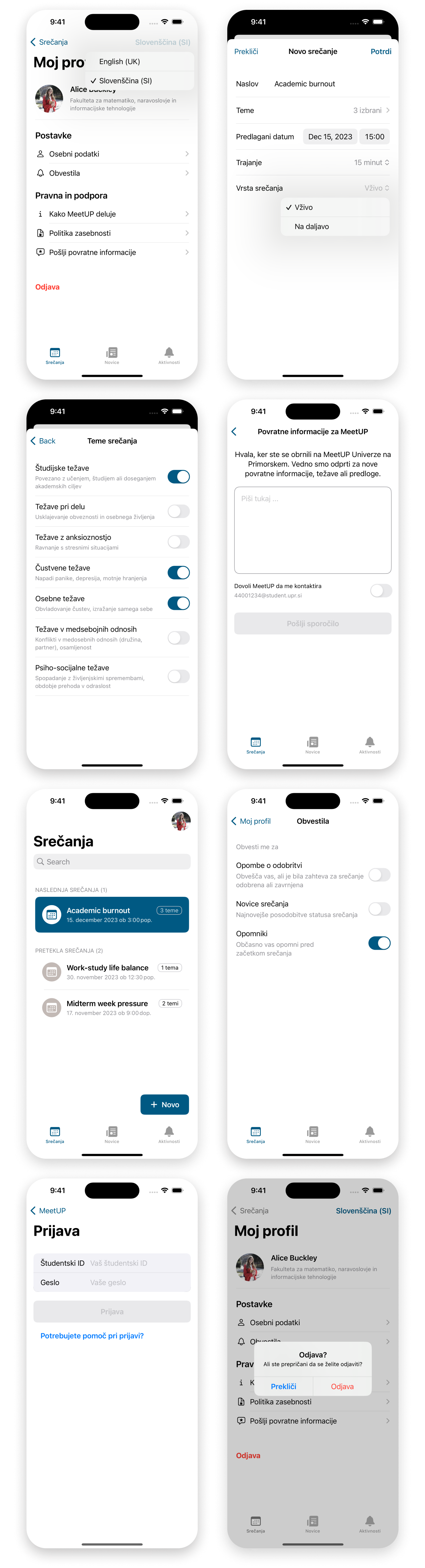
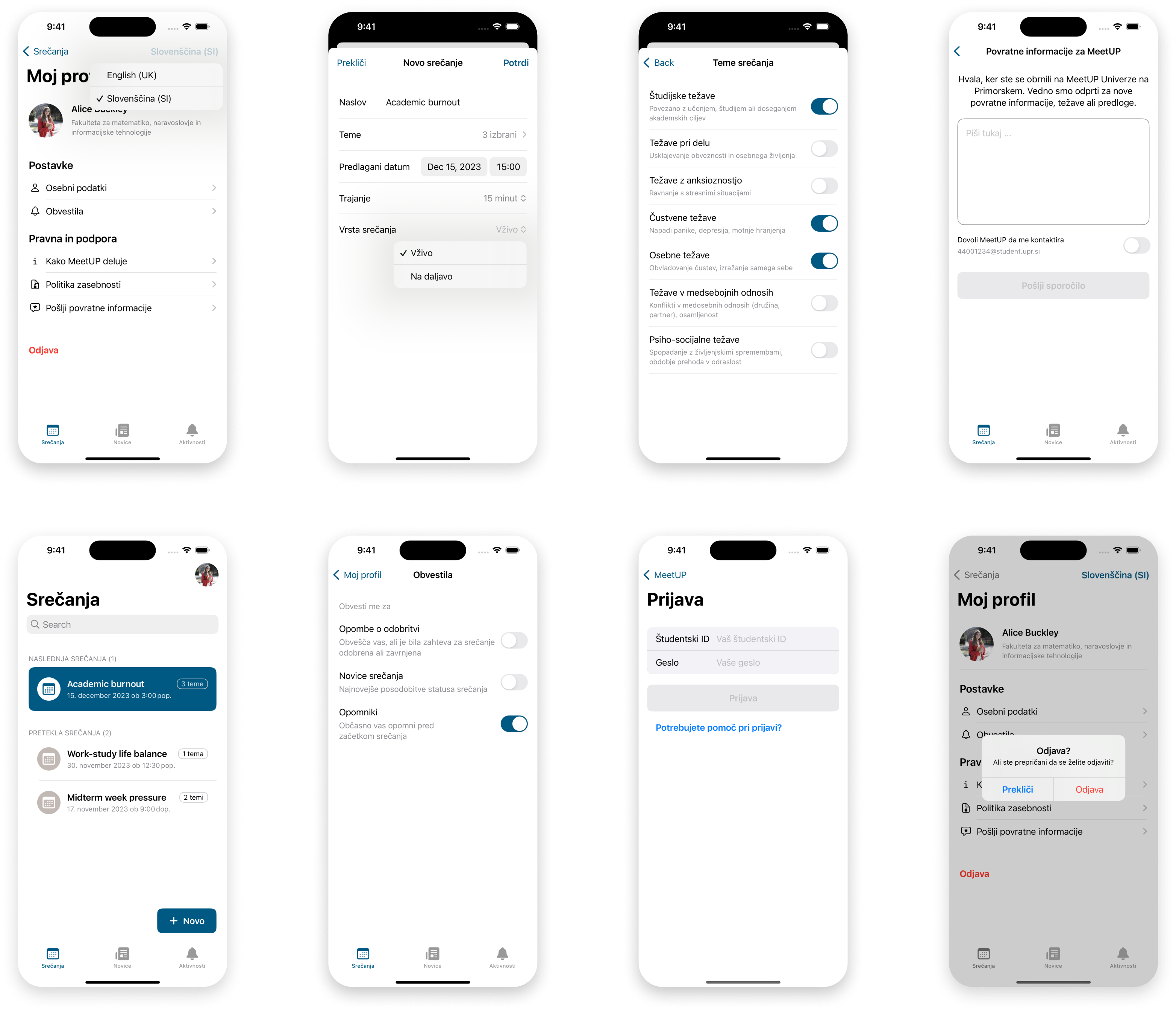
Tudi v slovenščini. To reach all students and make their experience better, the app is also available in Slovenian and is in sync with the student's study programme language.

Screens of a translated app Screens of a translated app

Development

The app has been developed myself for the iOS platform. The tech stack includes native languages and frameworks for Apple devices.

Please reach out for the GitHub link.

An icon of a tech stack An icon of a tech stack An icon of a tech stack An icon of a tech stack
Note

You can find contact info on “About me” page.

How can we make this product better?

Many of the features haven’t been implemented due to a tight timeframe. Here are some of the ideas that could improve the product and its experience.

  • Making changes to a scheduled meeting: To support usability heuristics, the user should be able to reschedule, edit and cancel approved meetings.
  • Chat support: A quick and simple two-way communication would add to trust and engagement between students and psychologists.
  • Online meeting integration: Start a meeting call without leaving the app, in line with the user’s calendar.

In summary

Working on MeetUP was a reminder that even lightweight solutions could often be a better choice. Built with simplicity in mind, the app appeared to be stable and intuitive. As a student myself at that time, it was useful to get a sense of a solution's validity through internal feedback as quickly as possible.

While the app can’t solve all the needs of a university community, it has a fine foundation for further improvements that are possible through collaboration, reviews and refining.